Blogs
2026.03.27
About Offset Adjust setting
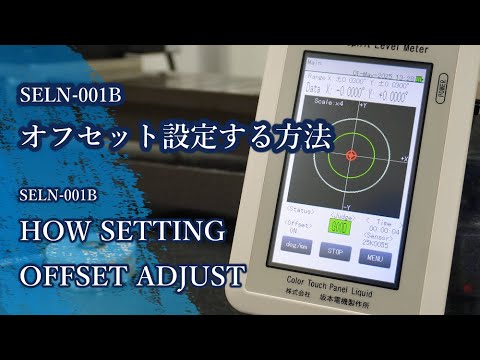
Digital levels are equipped with a function called “Offset Adjust Set.”
When using a traditional bubble level, leveling is considered complete when the bubble is centered. However, with a digital level, adjusting until the display reaches exactly X: 0.000° and Y: 0.000° can be a very time-consuming process.
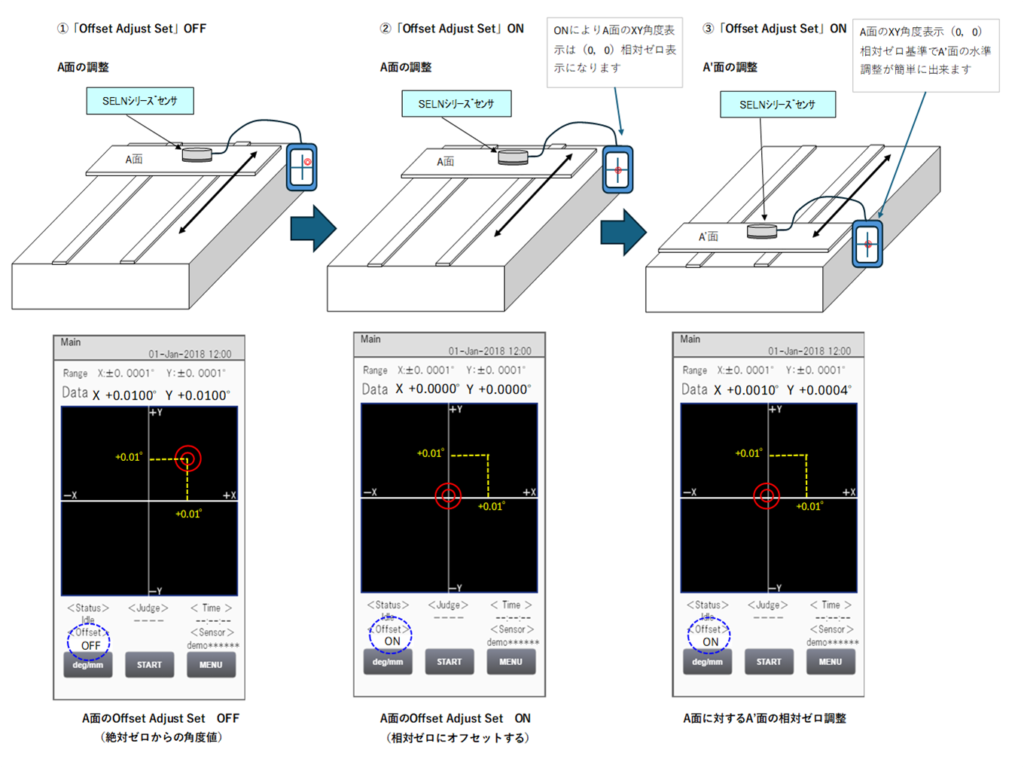
To simplify this, the Offset Adjust Set function allows users to define a custom reference point. For example, if your acceptable leveling tolerance is X: +0.010° and Y: +0.010°, you can enable this function and register that position as the new virtual zero point (X: 0.000°, Y: 0.000°).
This feature makes it much easier to perform relative leveling adjustments. In practice, you can use a reference surface (Surface A) to set the offset, and then quickly align another surface (Surface B) relative to it.
Note:
For accurate results, the XY coordinate axes of Surface A and Surface A′ must be aligned in the same direction. If the axes are not aligned, the adjustment will produce incorrect results.